
Invoices
Creating Invoices
Create invoices from Documents with the document type set to Invoice.
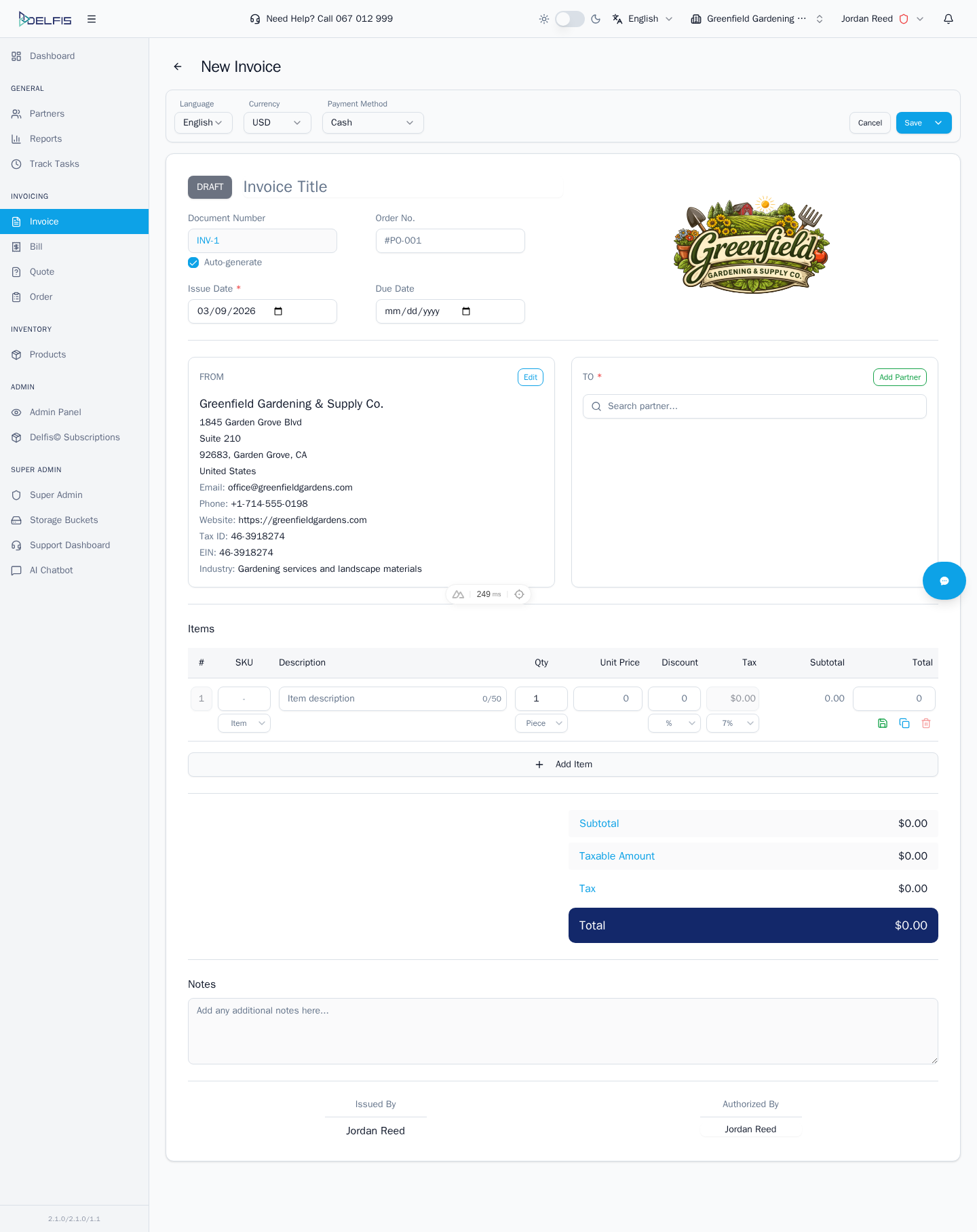
Basic Flow
- Open Documents
- Keep or switch the type to Invoice
- Select New to open the invoice form
- Choose the partner and complete the invoice details
- Add items, taxes, dates, and payment information
- Save the draft or continue to preview, export, or send
Before You Save
- confirm the correct partner is selected
- review issue and due dates
- check quantities, prices, discounts, and taxes
- verify payment status and payment method fields when needed
Typical Next Actions
- save as draft for later review
- open the detail page for follow-up actions
- export the invoice to PDF
- register or review payments